
Animated
Parhan Sency
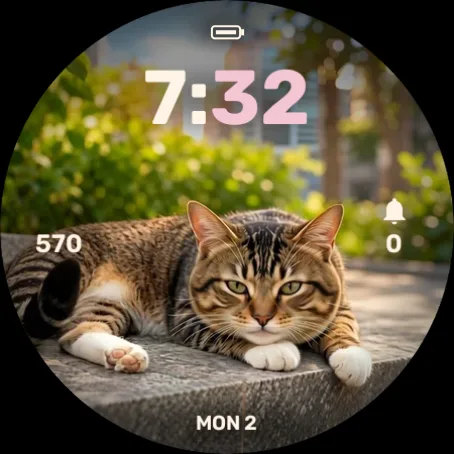
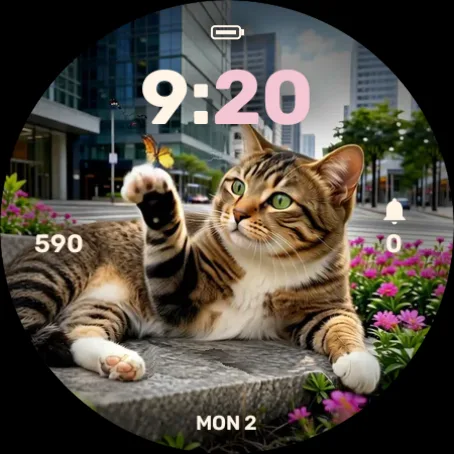
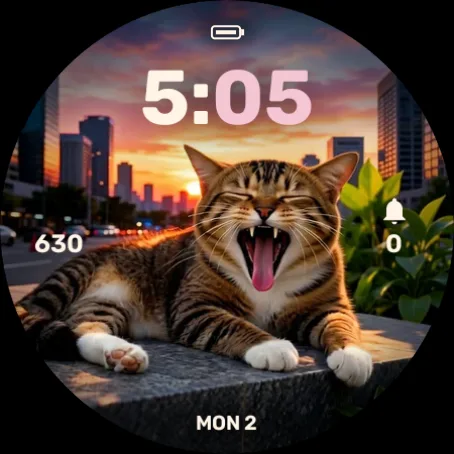
A tabby cat from Jakarta, with 12 expressions that change with the time of day.
Parhan is a real tabby cat who lives in Jakarta. This watch face shows him relaxing, yawning, and fast asleep, following the time on your wrist.
- 12 animated expressions at 10 frames per second
- Changes automatically with your local time
- Always-on display: black background, light grey clock
- On-watch settings: minute color (8 options), left and right data fields (15 options)
- File size 15.4 MB
IDR 49,000
A day with Parhan
Within each time range the expression rotates every 15 minutes. It is the same schedule the watch uses.
- 00.00–05.00
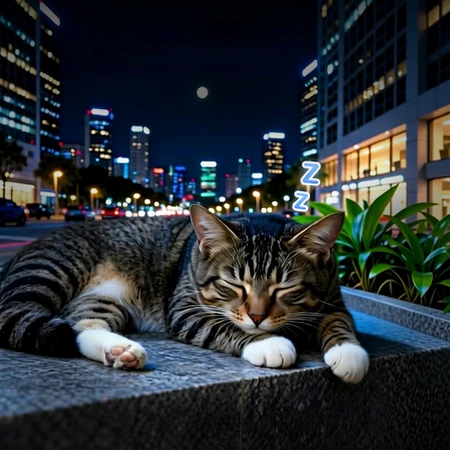 Deep sleep
- 05.00–07.00
 StretchRelaxed
- 07.00–09.00Relaxed
 Happy
 Playful
- 09.00–11.30
 GroomingPlayfulHappy
- 11.30–15.00
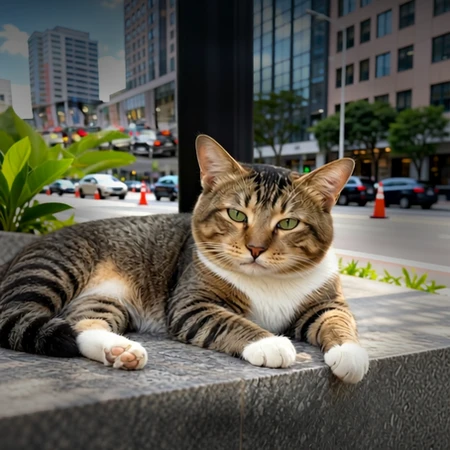 Blink
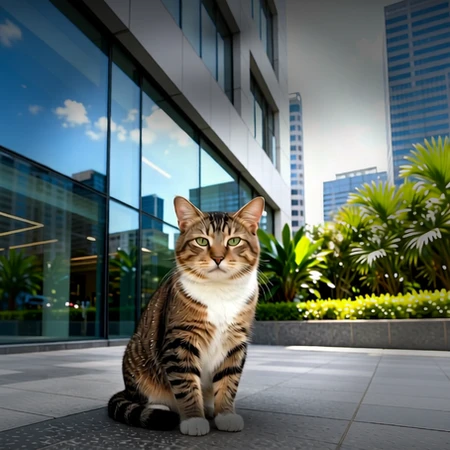 Curious
 Walk
- 15.00–17.00
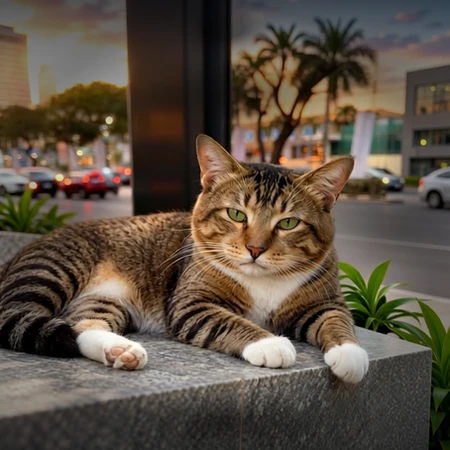 MeowStretchWalk
- 17.00–18.30
 YawnStretch
- 18.30–21.00
 Sleepy
- 21.00–00.00Deep sleep
Supported watches
Round AMOLED screens, 454 × 454 px. Test status is stated as it is.
Tested on a real watch (1)
- Forerunner 970
Tested in the simulator (15)
- Forerunner 965
- Venu 3
- epix Pro (Gen 2) 51mm, D2 Mach 1 Pro, tactix 7 AMOLED
- fēnix 8 47/51mm, tactix 8 47/51mm, quatix 8 47/51mm
- Forerunner 570 47mm
- Venu 4 45mm, D2 Air X15
- fēnix 8 Pro 47/51mm, quatix 8 Pro
- fēnix 9 47/51mm
- fēnix 9 Pro 47mm
- MARQ (Gen 3)
- D2 Mach 2
- D2 Mach 2 Pro
- Descent Mk3i 51mm
- Approach S70 47mm
- Approach S72 47mm
 For Wear OS watches
The Wear OS version is bought and installed through Google Play, for watches on Wear OS 4 or newer. No activation code needed.
Test status: tested on a real Samsung Galaxy Watch9
Coming to Google Play
The Android robot is reproduced or modified from work created and shared by Google and used according to terms described in the Creative Commons 3.0 Attribution License. Android is a trademark of Google LLC.
How to install
The Connect IQ Store listing is not published yet.
- Open the Connect IQ Store in the Garmin Connect or Connect IQ app on your phone.
- Find Parhan Sency and install it on your watch.
- On the watch, press and hold the watch face and pick Parhan Sency.
Questions
My watch is not on the list. Will it work?
Not yet. Parhan Sency is currently made for round 454 px screens. Models with 416, 390, or 360 px screens need their own version.
How long until the full version unlocks after paying?
The full version unlocks at the watch's next license check, usually within 15 minutes of paying (measured at 12 minutes on a Forerunner 970). The watch must be connected to your phone, with this watch face active. A watch that has been in demo mode for more than a day can take up to an hour. If the phone is not connected, it unlocks once it reconnects.
If I remove and reinstall the watch face, do I pay again?
No. The watch code stays the same when you reinstall on the same watch, so the license still applies.
Can I move the license to another watch?
One license covers one watch. If your watch is lost, broken, or replaced, contact us to move it.
Does the watch need to stay online?
No. Once active, the status is stored on the watch and stays valid for 90 days without a connection, then refreshes when it reconnects.
Is my card data stored?
No. Payment will happen on the Midtrans page, and this website only receives the payment status.